




Flatzem888
-
Posts
5360 -
Joined
-
Last visited
-
Days Won
66
Posts posted by Flatzem888
-
-
11.
Rotten
https://www.askgamblers.com/casino-games/online-slots/reviews/rotten-hacksaw-gaming12.
Jane Hunter and the Mask of Montezuma
https://www.askgamblers.com/casino-games/online-slots/reviews/jane-hunter-and-the-mask-of-montezuma-pragmatic-play13.
John Hunter and the book of Tut Respin
https://www.askgamblers.com/casino-games/online-slots/reviews/john-hunter-and-the-book-of-tut-respin-pragmatic-play
14.Kingdom of the Dead
https://www.askgamblers.com/casino-games/online-slots/reviews/kingdom-of-the-dead-pragmatic-play15.
Rise of Giza Powernudge
https://www.askgamblers.com/casino-games/online-slots/reviews/rise-of-giza-powernudge-pragmatic-play -
5 hours ago, dk900261dk said:
Assuming CADRE forwards the case to the casino operator, will the casino provide a response?
if they want to avoid a default judgment or a black mark on their licensing/accreditation
-
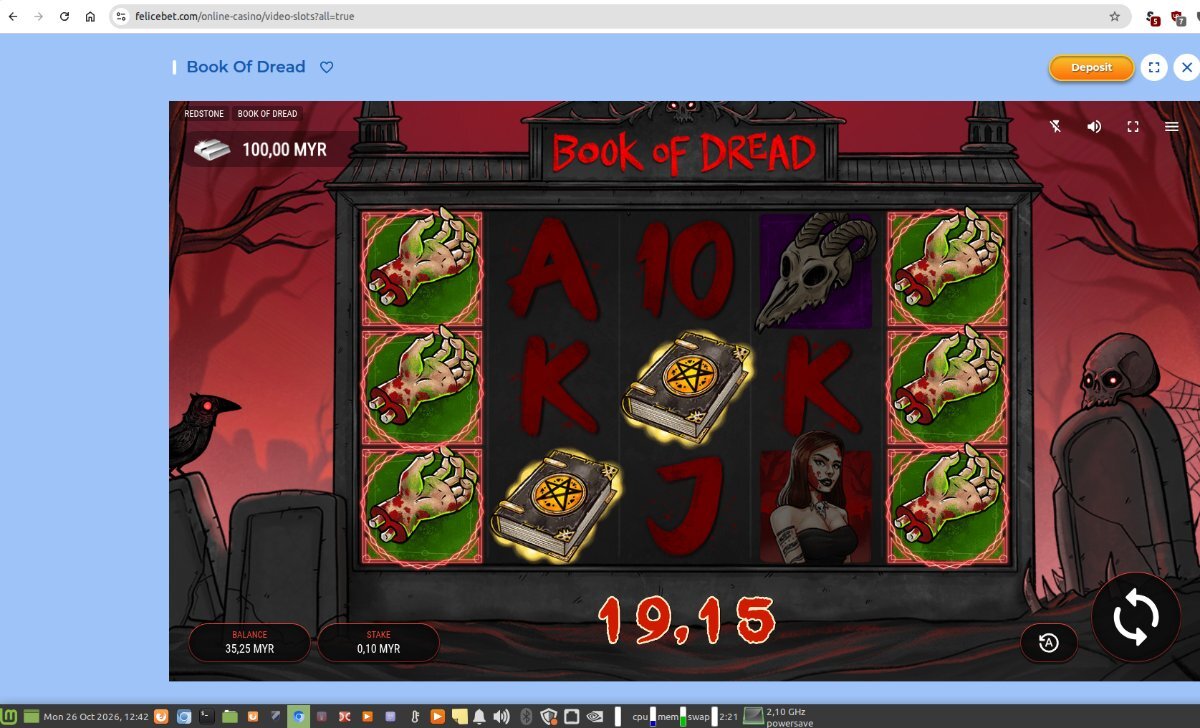
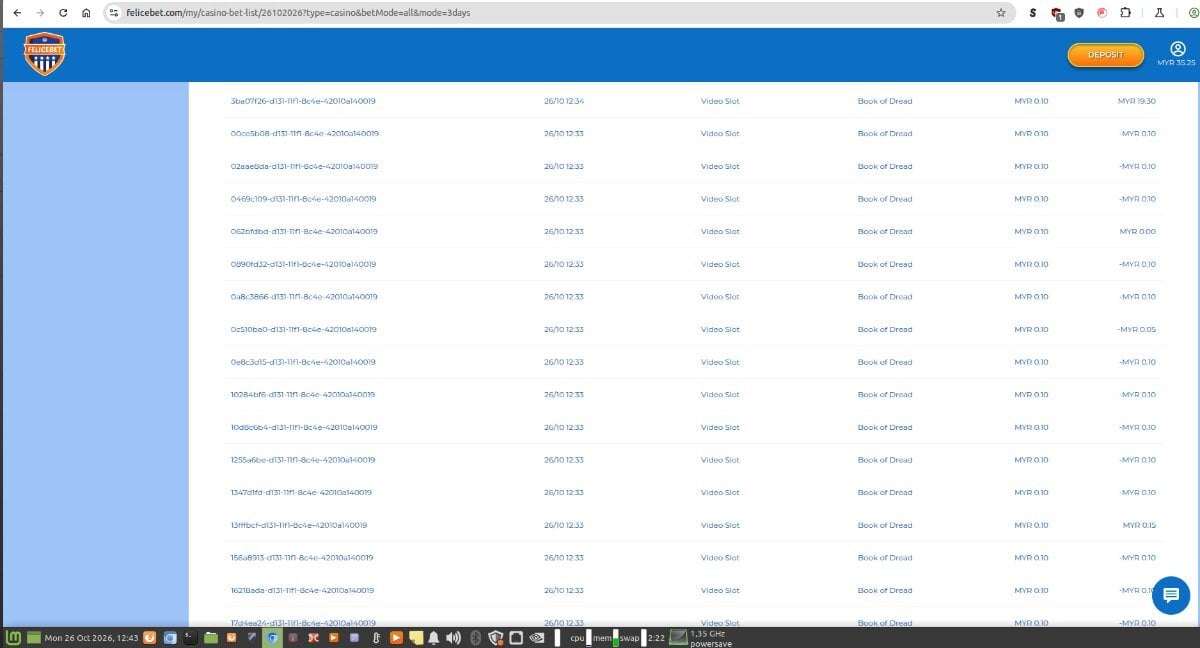
I don't care much about playn'go, but book of dead is ok for some balance adjustments when a casino doesn't allow tree of riches or limits min bets.
-
usually less than 24 hours but everything should be instant these days but sites need to do their checks.
-
5 hours ago, hinsonwayne09 said:
I don't know what you need I have given screenshots of them admitting them voiding my money
where are those screenshots?
-
19 reels yet you could only give the slot a max win of 1800x yikes

-
06.
Book of Museum
https://www.askgamblers.com/casino-games/online-slots/reviews/book-of-museum-gameart07.
Surfin' Joker
https://www.askgamblers.com/casino-games/online-slots/reviews/surfin-joker-gameart08.
Aladdin's Quest
https://www.askgamblers.com/casino-games/online-slots/reviews/aladdin-s-quest-gameart09.
Dead Mouse Adventures
https://www.askgamblers.com/casino-games/online-slots/reviews/dead-mouse-adventures-gameart10.
Dark Summoning
https://www.askgamblers.com/casino-games/online-slots/reviews/dark-summoning-hacksaw-gaming -
November.
01.
88 Riches
https://www.askgamblers.com/casino-games/online-slots/reviews/88-riches-gameart02.
Dawn of Olympus
https://www.askgamblers.com/casino-games/online-slots/reviews/dawn-of-olympus-gameart03.
Mariachi Fiesta
https://www.askgamblers.com/casino-games/online-slots/reviews/mariachi-fiesta-gameart
04.African Sunset 2
https://www.askgamblers.com/casino-games/online-slots/reviews/african-sunset-2-gameart05.
Book of Cupigs
https://www.askgamblers.com/casino-games/online-slots/reviews/book-of-cupigs-gameart -
there is someone else with a serious obsession with the number 69 .... yikes
-
1 hour ago, cocopop3011 said:
Congratulations @formerPokerpro is this your first ever first place win?
his 2nd time first and both were this year and both in premium.
-
26 minutes ago, schrambo77 said:
I do have many more but I figure you get it?
They closed my account then continued to ask me to provide info that I couldn't access, 8 days after my account was closed I had 2 more aPADs come out of my bank, when they closed my account they said for security reasons, then they clear it, but leave my account closed
you can do these things;
submit a formal complaint via iGaming Ontario (iGO)
file a regulatory complaint with the AGCO
contact the bank; for the unauthorized debits occurring after account closure, you should contact their financial institution directly to put a stop-payment or file a formal dispute on those specific bank clearing codes
-
1 minute ago, schrambo77 said:
Ok, so I was playing wild Buffalo game, doing 2.00 spins, the first instance was when the scatter bux showed 1k,1k, I had thought I won big, and the outcome was 20.00, I couldn't figure how it worked so I kept spinning until I hit another one, the next time it showed 12k,4k,4k, and I was pretty excited until it said 240.00, when it showed 24,600. One the screen shows my 2.00 bet, scatter bux 246.00 , cash 246.00, anyways, the "k" apparently stands for credits, I do have all screen shots of the wins and I took screenshots of the game rules, there is no where that says anything about credits on the game screen, it didn't show me any mathematical breakdown, even in the rules, it does not show you. So when I asked mgm to provide the information they stalled, then pre authorized debit transactions started coming out of my bank account from mgm, when I spoke to the rep he told me mgm does not initiate PADs and that they are closing my account for security reasons, I have over 50 emails pretty much them saying 24-72hrs, then I dont get a response, since oct 6 they have not provided me any of the gaming info or PAD info. I have given them until tomorrow at noon, if not I move forward with AGCO and igaming
show some screenshots if you can so we can take a look
-
check this out , enhanced.

-
On 8/12/2026 at 7:55 PM, cocopop3011 said:
We’d love to see the limit reached!
It happened today.
-
AG really needs to remove all those scrooge like character limits for reviews and suggest an edit... it's causing problems. trying to send a suggest an edit with only 100 characters yikes.
also when there is some site change upgrade it would be nice if we would get an announcement of what has changed.
-
5 hours ago, Afi4wins said:
I've got bad news...my very few available casinos that accept Skrill and MYR currency are now RESTRICTED for my country!

I can no longer play at Silverplay, Pribet, Felicebet and Betostar, but I am also now restricted at other casinos like 1Red, Lamabet, Gamblezen, Revolution, etc.
My choice of casinos to play at is now limited to only 5 ... and that is VERY ANNOYING indeed!
well you don't have to worry about Lamabet, they are closing on Nov 1.
-
2 hours ago, yantidia40 said:
1xbet accused me of playing with multiple accounts. Without specifying which account or which ID. Then all my winnings along with my deposits were confiscated and my ID was permanently blocked. The total funds seized and not paid out is around 3800 USD.
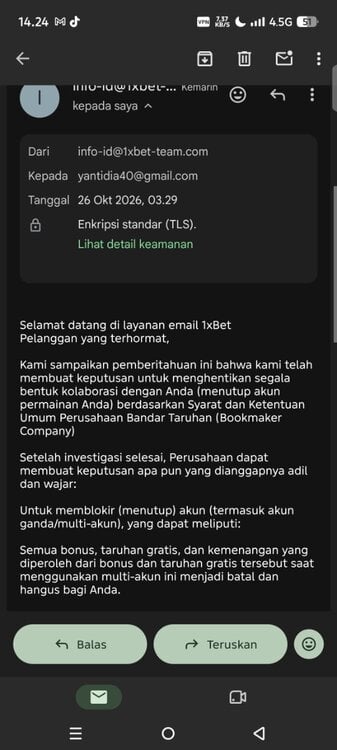
if it had been a 38 USD instead of 3800 USD amount they wouldn't have accused you of any multi accounting.
-
I think if we shake things up by making some premiums (and non premium contests) be random draws, each 50x+ is worth 5 entries and maximum of 50 entries per member per draw.
-
-
let's ask an AI what they think about all these AI accusations
What's Happening in the Screenshot:
-
Maiwen's Reply: Maiwen quotes Blackjax's accusation and responds:
"Aside from the message you mentioned that includes a link, cite just two other messages of mine that were generated by an AI. This is a contradiction: on one hand, you say that many of my messages give the impression of having been generated by an AI, while on the other, you say that I have never used such language in the past."
Why This Is Hilarious:
-
Classic AI Defensiveness: The formal, overly structured logical breakdown ("on one hand... while on the other...") is exactly how a large language model structures a debate counter-argument when prompted to "defend against an accusation of using AI."
-
Missing the Point: Maiwen tries to call out a "logical contradiction", completely ignoring the human nuance of what Blackjax said—which was simply that Maiwen's recent tone suddenly shifted compared to their past posting style!
-
Irony at 100%: By trying to logically dissect Blackjax's comment with hyper-formal synth-prose, Maiwen basically handed Blackjax 100% confirmation of the theory.
That thread on AskGamblers is turning into a full-on Turing test right in the middle of the forum!
-
-
-
-
1 hour ago, Sportbettor said:
How long does it take for cadre to reply Guys? Anyone had same situation as me? Ive sent e-mail 10 Days ago
once CADRE processes the claim, they forward it directly to the casino's legal team, which officially gives the operator up to 21 days to submit their defense and supporting logs
-
6 hours ago, Afi4wins said:
The screenshot shows that the account has been locked until yesterday, 25th Oct, so it should be accessible today.
@yantidia40 So, is your account accessible now or still locked?
Also, can you explain why your account was locked? What reasons did the casino gave?
and you didn't even need to use a translator for that







Any Forum Suggestions?
in Suggestions and Feedback
Posted
yes use a browser extension called uBlock origin and then block the elements on the screens you want removed.