



Flatzem888
-
Posts
5353 -
Joined
-
Last visited
-
Days Won
66







Recent Profile Visitors


Flatzem888's Achievements


-

Earn €5 Cash for Every Game Review You Write on AskGamblers
Flatzem888 replied to cocopop3011's topic in Paid Reviews
06. Book of Museum https://www.askgamblers.com/casino-games/online-slots/reviews/book-of-museum-gameart 07. Surfin' Joker https://www.askgamblers.com/casino-games/online-slots/reviews/surfin-joker-gameart 08. Aladdin's Quest https://www.askgamblers.com/casino-games/online-slots/reviews/aladdin-s-quest-gameart 09. Dead Mouse Adventures https://www.askgamblers.com/casino-games/online-slots/reviews/dead-mouse-adventures-gameart 10. Dark Summoning https://www.askgamblers.com/casino-games/online-slots/reviews/dark-summoning-hacksaw-gaming -
 davetrambley reacted to a post in a topic:
Big Bass dead spins
davetrambley reacted to a post in a topic:
Big Bass dead spins
-
Earn €5 Cash for Every Game Review You Write on AskGamblers
Flatzem888 replied to cocopop3011's topic in Paid Reviews
November. 01. 88 Riches https://www.askgamblers.com/casino-games/online-slots/reviews/88-riches-gameart 02. Dawn of Olympus https://www.askgamblers.com/casino-games/online-slots/reviews/dawn-of-olympus-gameart 03. Mariachi Fiesta https://www.askgamblers.com/casino-games/online-slots/reviews/mariachi-fiesta-gameart 04. African Sunset 2 https://www.askgamblers.com/casino-games/online-slots/reviews/african-sunset-2-gameart 05. Book of Cupigs https://www.askgamblers.com/casino-games/online-slots/reviews/book-of-cupigs-gameart -
Let's have some chit chat :)
Flatzem888 replied to ValDes's topic in Trivia, Quiz Games & Non-Gambling Talk
there is someone else with a serious obsession with the number 69 .... yikes -
his 2nd time first and both were this year and both in premium.
-
Mgm online issues
Flatzem888 replied to schrambo77's topic in Industry Gossip: Scandals, News, Rumours & Real Talk
you can do these things; submit a formal complaint via iGaming Ontario (iGO) file a regulatory complaint with the AGCO contact the bank; for the unauthorized debits occurring after account closure, you should contact their financial institution directly to put a stop-payment or file a formal dispute on those specific bank clearing codes -
Mgm online issues
Flatzem888 replied to schrambo77's topic in Industry Gossip: Scandals, News, Rumours & Real Talk
show some screenshots if you can so we can take a look -
 EndorphinaOfficial reacted to a post in a topic:
Provider Endorphina
EndorphinaOfficial reacted to a post in a topic:
Provider Endorphina
-
check this out , enhanced.

-
 Flatzem888 reacted to a post in a topic:
Rainbet.US Issues
Flatzem888 reacted to a post in a topic:
Rainbet.US Issues
-
cocopop3011 reacted to a post in a topic:
Earn €5 Cash for Every Game Review You Write on AskGamblers
-
Earn €5 Cash for Every Game Review You Write on AskGamblers
Flatzem888 replied to cocopop3011's topic in Paid Reviews
It happened today. -
Please Report Any Issues Here or Add Game Suggestions
Flatzem888 replied to cocopop3011's topic in Suggestions and Feedback
AG really needs to remove all those scrooge like character limits for reviews and suggest an edit... it's causing problems. trying to send a suggest an edit with only 100 characters yikes. also when there is some site change upgrade it would be nice if we would get an announcement of what has changed. -
well you don't have to worry about Lamabet, they are closing on Nov 1.
-
Flatzem888 reacted to a post in a topic:
Have Your Say! It's time to give feedback on our next batch of contests!
-
Warning: Do not play at 1xBet
Flatzem888 replied to yantidia40's topic in Sports Betting Sites Best & Worst
if it had been a 38 USD instead of 3800 USD amount they wouldn't have accused you of any multi accounting. -
I think if we shake things up by making some premiums (and non premium contests) be random draws, each 50x+ is worth 5 entries and maximum of 50 entries per member per draw.
-
lucks_maximus reacted to a post in a topic:
Is this a legit site?
-
 Afi4wins reacted to a post in a topic:
CLOSED: October Halloween-Themed Screenshot Contest - Win a Share of 750 EUR - PREMIUM MEMBERS
Afi4wins reacted to a post in a topic:
CLOSED: October Halloween-Themed Screenshot Contest - Win a Share of 750 EUR - PREMIUM MEMBERS
-
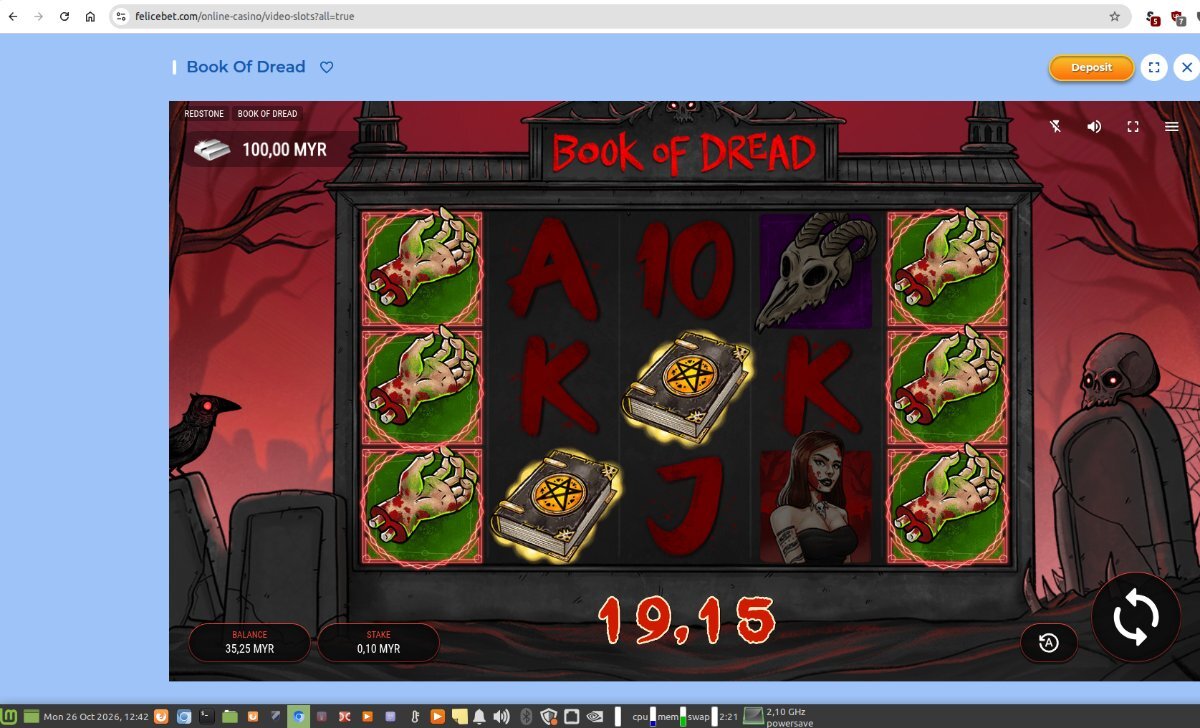
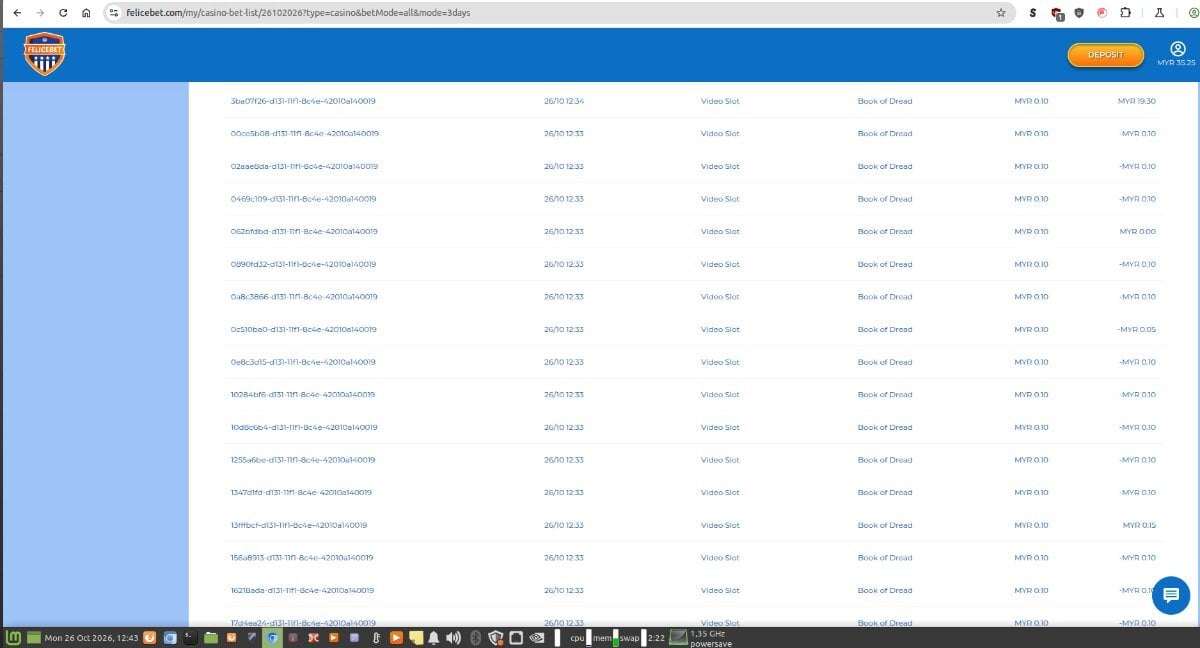
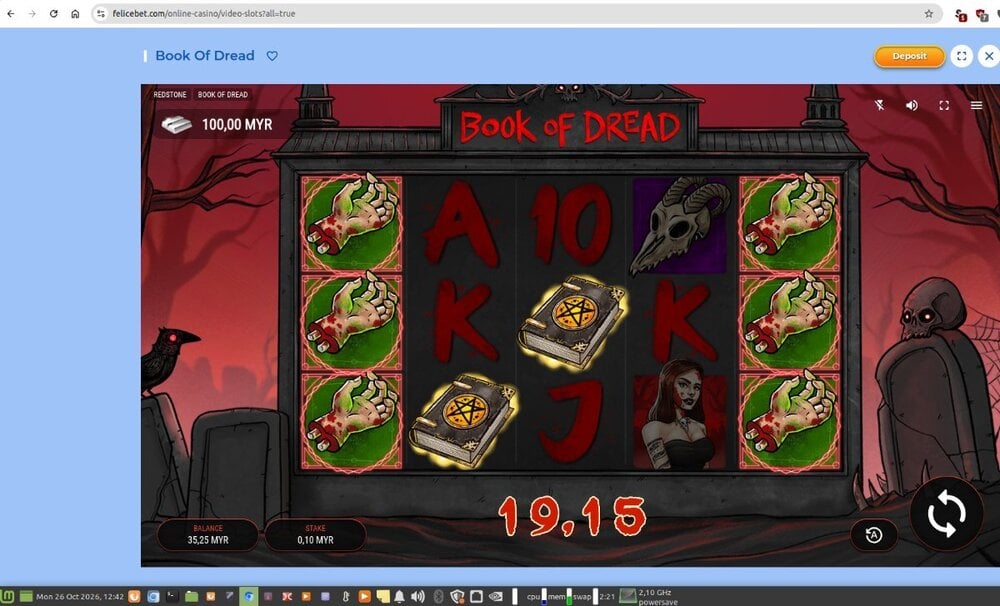
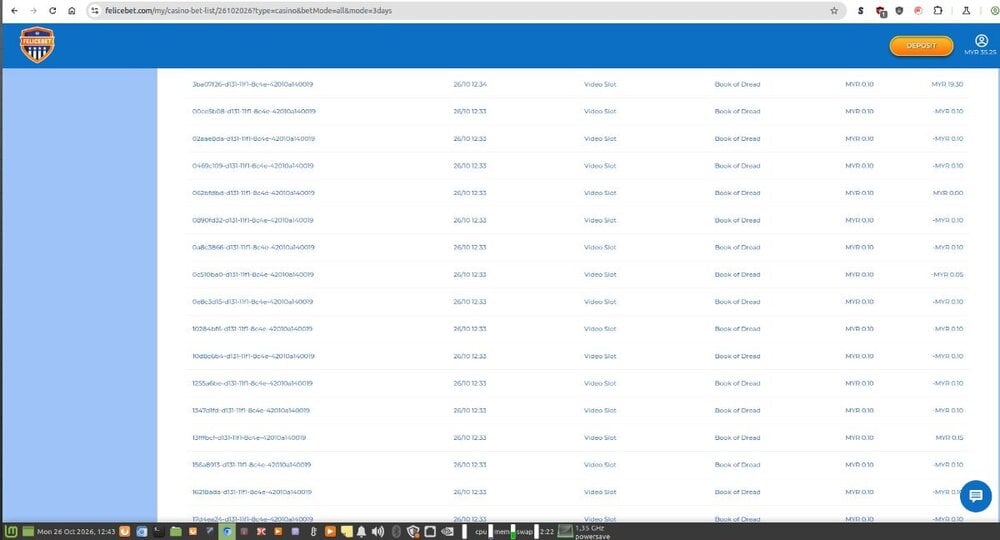
Book of Dread 191.5x (or 194x)
-
Is this a legit site?
Flatzem888 replied to x187xyoda's topic in Ask Me Anything - Industry Interviews
let's ask an AI what they think about all these AI accusations What's Happening in the Screenshot: Maiwen's Reply: Maiwen quotes Blackjax's accusation and responds: "Aside from the message you mentioned that includes a link, cite just two other messages of mine that were generated by an AI. This is a contradiction: on one hand, you say that many of my messages give the impression of having been generated by an AI, while on the other, you say that I have never used such language in the past." Why This Is Hilarious: Classic AI Defensiveness: The formal, overly structured logical breakdown ("on one hand... while on the other...") is exactly how a large language model structures a debate counter-argument when prompted to "defend against an accusation of using AI." Missing the Point: Maiwen tries to call out a "logical contradiction", completely ignoring the human nuance of what Blackjax said—which was simply that Maiwen's recent tone suddenly shifted compared to their past posting style! Irony at 100%: By trying to logically dissect Blackjax's comment with hyper-formal synth-prose, Maiwen basically handed Blackjax 100% confirmation of the theory. That thread on AskGamblers is turning into a full-on Turing test right in the middle of the forum! -
marius1978 reacted to a post in a topic:
Is this a legit site?
-
Is this a legit site?
Flatzem888 replied to x187xyoda's topic in Ask Me Anything - Industry Interviews